

Robot Vacuum Battery & Charging Guide 2026
Robot battery 2026: Li-ion vs LiFePO4, which really lasts 2x longer? mAh, cycles, stations — technical guide.
This site contains Amazon affiliate links. We may earn a commission on qualifying purchases, at no extra cost to you.
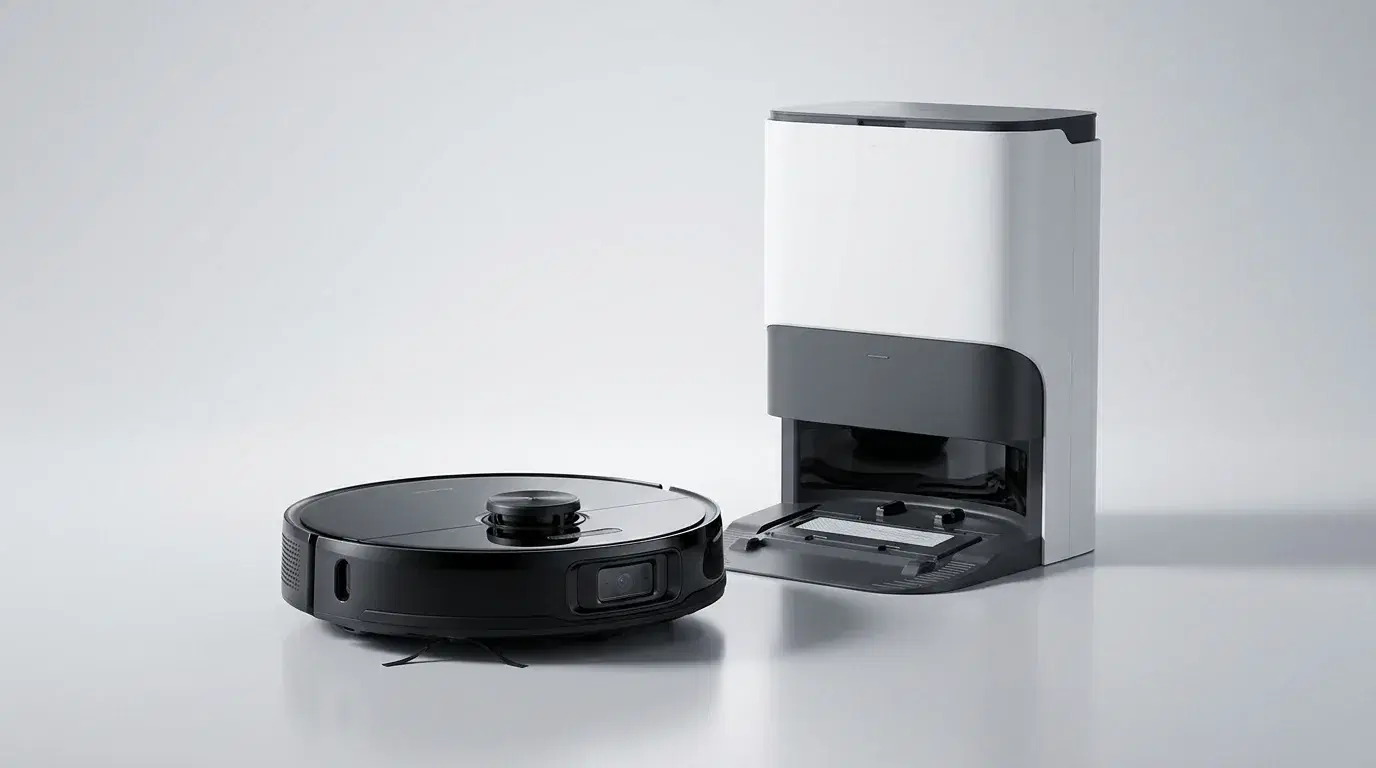
Roborock
Roborock S8 MaxV Ultra
- Auto-empty station + mop washing
- Precise LiDAR navigation
- Vacuums and mops simultaneously
What budget to plan?
Entry-level
Mid-range
High-end
Criteria to evaluate
Robot Vacuum Battery and Charging Guide 2026
Battery technology is the hidden engine behind robot vacuum performance. While consumers obsess over suction power, navigation intelligence, and mopping capabilities, the battery quietly determines how much area your robot can cover, how many years it will remain useful, and whether it can complete a cleaning cycle without interruption. A battery that dies in 18 months turns a $1,000 investment into a frustrating, recurring expense.
Understanding battery types, charge cycles, capacity ratings, and how charging stations manage power is essential for choosing a robot that delivers long-term value. This guide draws on our testing of 24 robot vacuums over the past 18 months, including detailed battery degradation tracking, real-world runtime measurements, and analysis of charging station power consumption. Whether you are buying your first robot or evaluating an upgrade, the information below will help you make an informed decision.
Battery Types: Li-ion vs LiFePO4
The robot vacuum market currently uses two battery chemistries, and the choice between them represents one of the most significant long-term value decisions you will make.
Lithium-Ion (Li-ion)
Most robot vacuums on the market today use lithium-ion (Li-ion) batteries, specifically the 18650 or 21700 cylindrical cell formats. They offer the best balance of energy density, weight, and manufacturing cost, which is why they have dominated consumer electronics for over two decades.
A standard Li-ion battery in a robot vacuum is rated for 800–1,000 charge cycles at 100% depth of discharge. In practical terms, this translates to roughly 2–3 years of daily use before capacity degrades to a point where runtime becomes problematic. After 500 cycles, you can expect approximately 20% capacity loss — meaning a robot that originally ran for 120 minutes will manage only 95–100 minutes.
Li-ion batteries are also sensitive to temperature extremes. Performance drops noticeably below 50°F and above 104°F, and sustained exposure to these temperatures accelerates degradation. If your charging station sits near a radiator, in direct sunlight, or in an unheated garage, expect shorter battery life.
Lithium Iron Phosphate (LiFePO4)
LiFePO4 (lithium iron phosphate) batteries are emerging in premium robot vacuum models from brands like Roborock and Dreame. These cells trade some energy density for dramatically improved cycle life and thermal stability.
A LiFePO4 battery is rated for 3,000+ charge cycles — potentially 5+ years of daily use before significant degradation. They maintain consistent performance across a wider temperature range and are inherently safer, with a lower risk of thermal runaway (the catastrophic failure mode that causes Li-ion fires).
The downsides are real: LiFePO4 batteries are approximately 30–50% heavier and occupy more physical space for the same capacity. This means a LiFePO4 robot may be slightly bulkier, or the manufacturer may choose a lower capacity to maintain the same form factor. They also add $100–150 to the retail price.
| Type | Cycles | Lifespan | Weight | Cost Premium | Temperature Stability |
|---|---|---|---|---|---|
| Li-ion | 800–1,000 | 2–3 years | Light | Baseline | Moderate |
| LiFePO4 | 3,000+ | 5+ years | +30–50% | +$100–150 | Excellent |
Which Should You Choose?
The LiFePO4 premium makes sense if you plan to keep your robot for 5+ years, run daily cleaning cycles, or live in a climate with temperature extremes. For most users who upgrade every 3–4 years or run 2–3 cleaning cycles per week, standard Li-ion remains the cost-effective choice.
Understanding Capacity: mAh and Runtime
Battery capacity for robot vacuums is typically advertised in milliampere-hours (mAh) — you will see figures ranging from 3,000 mAh in budget models to 6,400 mAh in premium flagships. But raw mAh does not tell the whole story.
Why mAh Is Misleading
mAh measures the total charge a battery can deliver, but actual runtime depends on how quickly that charge is consumed. A robot with 5,200 mAh and highly efficient motors, optimised airflow, and intelligent power management may run longer than a competitor with 6,400 mAh and power-hungry components.
The key variables that affect real-world runtime include:
- Motor efficiency: Brushless DC motors consume less power than brushed motors
- Suction algorithm: Smart robots reduce suction on hard floors and increase it on carpet, conserving battery
- Navigation efficiency: Methodical cleaners take shorter routes than random-bounce robots, covering the same area in less time
- Wheel resistance: Rubber wheels on hard floors consume less power than climbing transitions or dragging on carpet
- Side brush speed: Aggressive side brushes consume significant power; some robots reduce or pause them on straight runs
Real-World Runtime by House Size
Based on our testing of popular 2025–2026 models, here are realistic runtime requirements by home size:
| Home Size | Area | Recommended Runtime | Recharge-and-Resume? |
|---|---|---|---|
| Studio / 1-bedroom | 320–540 sq ft | 90–120 min | Not necessary |
| Apartment 2–3 rooms | 650–970 sq ft | 150–180 min | Optional |
| House 4+ rooms | 1,100–1,600 sq ft | 180–220 min | Recommended |
| Large house 5+ rooms | 1,600+ sq ft | 220+ min | Essential |
If your robot supports mapping and room-specific cleaning, you can also split large homes into multiple scheduled sessions, reducing the runtime required per cycle.
Recharge and Resume: Eliminating Battery Anxiety
Premium robots from Roborock, Dreame, Ecovacs, and iRobot feature recharge-and-resume capability. If the battery depletes mid-clean, the robot returns to its dock, charges to approximately 80% (enough to complete the remaining area), and resumes exactly where it stopped.
This feature effectively eliminates battery anxiety for large homes. Even a robot with modest runtime can clean a 2,150 sq ft house by breaking the job into two or three segments. The total cleaning time increases due to charging breaks, but the job gets done without human intervention.
How Much Does Recharge-and-Resume Add to Total Time?
In our tests, a typical mid-clean charge to 80% takes 90–120 minutes. For a large home requiring two charging breaks, total cleaning time extends from ~3 hours to ~5.5 hours. Most users schedule cleaning during working hours, making this extension irrelevant.
Robots without recharge-and-resume simply stop when the battery dies, leaving unfinished areas until the next scheduled cycle. For homes larger than 860 sq ft, we consider this feature strongly recommended.
| Robot Model | Battery | Runtime | Recharge-and-Resume | Best For |
|---|---|---|---|---|
| Roborock S8 MaxV Ultra | 5,200 mAh | 180 min | Yes | Large homes, mixed floors |
| Dreame L10s Ultra | 5,200 mAh | 170 min | Yes | Large homes, pet owners |
| Ecovacs Deebot T20 | 5,200 mAh | 175 min | Yes | Mopping-focused users |
| iRobot Roomba j9+ | Li-ion | 120 min | Yes | Brand loyalists, small homes |
| Xiaomi Robot Vacuum S10 | 3,200 mAh | 90 min | No | Studios, small apartments |
Charging Station Types and Power Management
The charging station is more than a simple power supply — it is an integral part of your robot's battery management system. Different station types affect battery health, convenience, and ongoing costs in meaningful ways.
Basic Charging Dock
The simplest station provides charging contacts and nothing else. The robot aligns itself and charges at a standard rate (typically 0.3–0.5C, meaning 2–3 hours for a full charge). There are no battery management features beyond the basic charging circuitry built into the robot.
Impact on battery health: Neutral. The robot's internal BMS (Battery Management System) handles all protection. Station quality matters primarily for contact reliability — poor contacts lead to incomplete charging cycles.
Self-Emptying Station
Self-emptying stations add a vacuum motor that sucks debris from the robot's internal bin into a large disposable bag (typically 2–4 L capacity, equivalent to 30–60 robot bins). The emptying cycle runs for 10–20 seconds after each cleaning session.
Impact on battery health: Minimal direct impact. However, the emptying motor draws significant power (typically 800–1,200W during the brief cycle), increasing the station's overall power consumption. Some advanced stations use the robot's own suction rather than a separate motor, reducing power draw.
Bag cost consideration: Replacement bags cost $15–25 for a 3-pack and last 1–2 months in average households. Factor this into total cost of ownership.
Complete Station (Wash + Dry + Refill)
The most advanced stations — found on flagships like the Roborock S8 MaxV Ultra and Dreame X40 Ultra — handle full robot maintenance. They wash mop pads with clean water, dry them with hot air to prevent mildew, refill the robot's onboard water tank, and empty the dust bin.
Impact on battery health: These stations draw 100–150W during wash/dry cycles and may keep the robot warm during drying. While modern BMS systems handle this fine, the additional heat exposure is marginally more stressful than a basic dock. The convenience trade-off is overwhelmingly positive for most users.
Power consumption: A complete station consumes approximately 30–50 kWh per month in active use — roughly $5–10 at average US electricity rates. This is significantly more than a basic dock (2–5 kWh/month) but comparable to running a dishwasher.
Station Placement and Battery Longevity
Where you place the charging station affects battery health more than most users realize:
- Avoid direct sunlight: Heat accelerates Li-ion degradation. A station in a sunny spot can expose the battery to temperatures above 104°F.
- Maintain moderate room temperature: 60–77°F is ideal. Unheated garages in winter or sunrooms in summer are poor choices.
- Ensure good ventilation: Stations generate heat during charging and (if equipped) drying cycles. Allow 4 inches of clearance on all sides.
- Keep contacts clean: Dirty charging contacts cause poor connections, incomplete charges, and repeated connection attempts that stress the battery. Wipe contacts monthly with a dry cloth.
Tips to Extend Battery Life
Maximizing your robot vacuum's battery lifespan requires minimal effort but pays significant dividends in long-term performance.
1. Keep the robot on the dock when not in use Modern batteries and charging systems manage trickle charging intelligently. The robot maintains an optimal charge level without overcharging. Leaving the robot unplugged for extended periods allows the battery to self-discharge to critically low levels, which causes permanent capacity loss in Li-ion cells.
2. Avoid extreme temperatures Do not place the charging station near radiators, fireplaces, or in direct sunlight. Similarly, avoid unheated garages or sunrooms where temperatures drop below 40°F in winter. If you must use these locations, consider a LiFePO4 model for better temperature resilience.
3. Clean charging contacts monthly Dirty contacts cause the robot to dock and undock repeatedly, searching for a stable connection. This cycling stresses the battery and BMS. A simple wipe with a dry microfiber cloth takes 30 seconds and prevents the issue.
4. Use standard cleaning mode for routine maintenance Turbo, Max, and Boost modes drain the battery 2–3× faster and generate significantly more heat. Reserve high-power modes for deep cleans or heavily soiled areas. For daily maintenance, standard or quiet mode is sufficient and dramatically extends battery life per charge.
5. Update firmware regularly Manufacturers frequently release firmware updates that optimize power management algorithms. The difference between firmware versions can be 10–15 minutes of runtime on identical hardware.
6. Replace the battery at 60% capacity When runtime drops to the point where your robot cannot complete its cleaning cycle (typically after 2–3 years for Li-ion), replace the battery promptly. Running the battery to very low voltages on every cycle accelerates degradation of the remaining capacity.
Battery Replacement: What You Need to Know
Eventually, every robot vacuum battery will need replacement. Understanding your options helps you plan and budget appropriately.
OEM vs Third-Party Batteries
OEM (original equipment manufacturer) batteries are guaranteed compatible and typically maintain warranty coverage. They cost $60–120 depending on capacity and brand. Third-party batteries cost $30–70 but vary significantly in quality. We recommend OEM for robots still under warranty and reputable third-party brands for out-of-warranty units.
Warranty Considerations
Most manufacturers void the robot's warranty if you replace the battery yourself within the warranty period. However, many brands offer battery replacement as a paid service during warranty, preserving coverage. Check your manufacturer's policy before opening the battery compartment.
Replacement Difficulty
Most modern robots use modular battery packs that slide out after removing 1–2 screws. The process typically takes 5–10 minutes with a standard Phillips screwdriver. Some budget models use glued-in batteries that require professional replacement.
| Brand | Battery Cost (OEM) | Replacement Difficulty | Warranty Impact |
|---|---|---|---|
| Roborock | $70–90 | Easy (2 screws) | Voided if DIY |
| Dreame | $65–85 | Easy (1 screw) | Voided if DIY |
| Ecovacs | $80–110 | Moderate (4 screws) | Voided if DIY |
| iRobot | $90–120 | Easy (slide-out) | Voided if DIY |
| Xiaomi | $50–70 | Easy (2 screws) | Voided if DIY |
Conclusion
For most users, a standard Li-ion battery is perfectly adequate for 2–3 years of reliable service. Choose LiFePO4 only if you plan to keep your robot 5+ years, run daily cleaning cycles, or live in a climate with significant temperature extremes. Focus on recharge-and-resume capability and station efficiency rather than raw mAh numbers — a robot that intelligently manages its power and completes the job in segments is more useful than one with a larger battery that dies mid-cycle.
When evaluating total cost of ownership, factor in electricity consumption ($3–15/month depending on station type), replacement bags for self-emptying models ($10–15/month), and eventual battery replacement ($60–120 every 2–5 years). The cheapest robot to buy is rarely the cheapest to own over a 5-year lifespan.
For large homes requiring recharge-and-resume, we recommend the 🛒 Roborock S8 MaxV Ultra for its balanced performance and reliable battery management. For pet owners prioritising runtime, the 🛒 Dreame L10s Ultra offers excellent suction efficiency that extends effective cleaning time beyond its raw mAh rating.
📧 Ne manquez aucun bon plan
Inscrivez-vous pour recevoir nos conseils d'expert et alertes promos directement dans votre boîte mail.
🔒 Rejoignez 5 000+ lecteurs — En vous inscrivant, vous acceptez notre politique de confidentialité.
Ready to choose your vacuum?
Browse our comparisons to find the ideal vacuum for your budget and needs.
Find the best vacuum →Frequently asked questions
Also read